Appsemble is most often used for forms, registrations and processes at municipalities and other organisations. That is where the platform is strong, but it is not where it ends. To find out how far we could get with design, offline use and hardware, we built Rooster: an app to control a nursery lamp.
What Rooster does
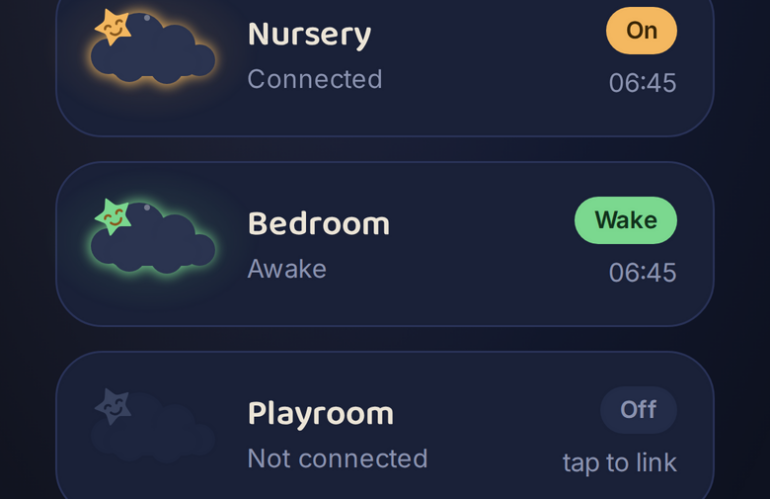
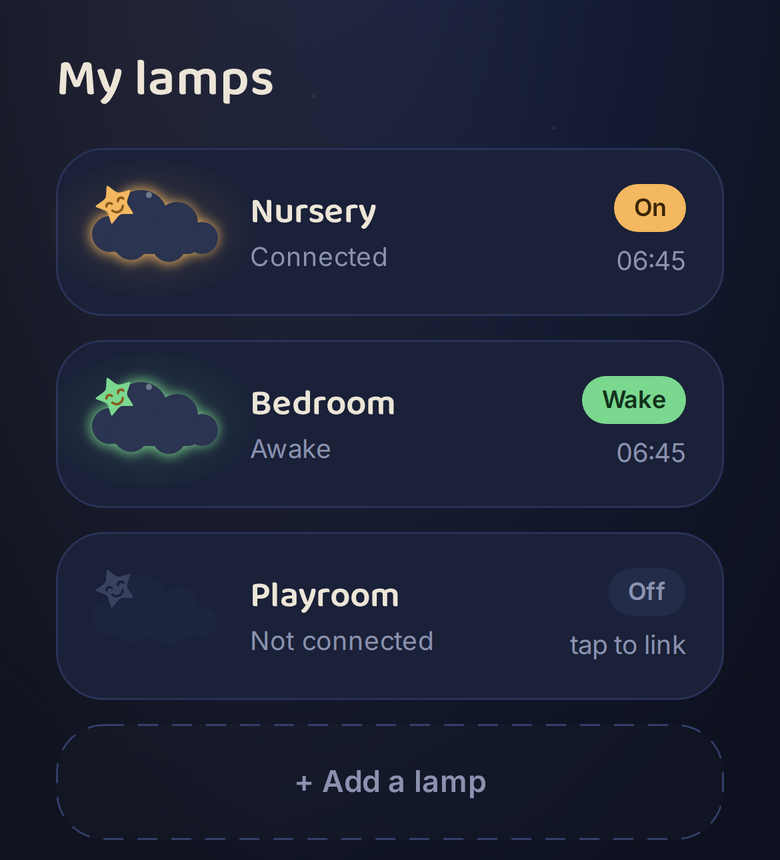
Rooster controls a Fisher-Price Lumalou (GLD09) directly over Bluetooth. You add a lamp, give it the name of the room, and control it from a dashboard: night light, sound, naps with a duration of their own, saved scenes and a sleep trainer that shows when it is bedtime and when it is time to get up again.
On top of that you put together a routine per day, out of steps such as brushing teeth, getting dressed, reading and tidying up. A day you have set up can be copied in one go to the weekdays you tick, so you do not have to fill in the same thing seven times.
Two things are deliberately absent: an account and a cloud. There is no server that knows your lamp or your child. The app talks to the lamp directly through Web Bluetooth in the browser and keeps the settings in IndexedDB on the device itself. If you are not near the lamp, you can still change your settings. They are then queued and applied as soon as the lamp is back in range.
The lamp we built it for still works perfectly well. Only the manufacturer’s app is gone, which is a story of its own: when the app disappears, working hardware becomes waste.
How it is built
Rooster is an ordinary Appsemble app: an app definition in YAML, with pages made up of blocks. Most of it comes from the platform itself, with blocks such as markdown, button-list, html, form, list, tiles and detail-viewer. Two blocks are new and specific to this app: one for the shelf of lamps on the home screen, and one that shows the lamp itself, including the glow that belongs to the selected setting.
The Bluetooth logic sits in the app controller. That is a piece of TypeScript belonging to the app that offers its own actions to the blocks, just like the built-in actions do. As a result, the blocks know nothing about Bluetooth or about the lamp’s protocol: they call an action and show the result. Storage goes through the regular storage.read and storage.write actions.
The looks come entirely from the theme: a dark palette in theme variables, two custom fonts and a stylesheet per block. No separate framework was involved.
What the platform gets out of it
An app that works well but does not look the part gets used less. That is why Rooster is, above all, a reason for us to push the design side of the platform forward. What we work out here lands in the blocks everyone uses: roomier sizing for images, a footer block to close off a page with, a markdown field with an adjustable height, and pages with a grid layout that moves with the screen width.
It works the other way around too. The way Rooster handles being offline, keeping changes until the device is reachable again, is exactly the pattern an inspection or registration app needs out in the field.
Where it does not work yet
Web Bluetooth is not in every browser. Chrome on Android and on desktop works; on Linux you first have to switch Web Bluetooth on through a browser flag. Firefox and Safari do not support it. On iPhone and iPad you therefore open Rooster in Bluefy, a browser that does offer Web Bluetooth. Rooster checks this up front and shows what is needed instead of quietly doing nothing.
Building something that does not look like a form
Rooster is an extreme, but it shows where the room is: an app made from the same building blocks as an application form, yet nothing like it. If you would like to talk through what is possible for your organisation, get in touch.